
Permanent Account Number or PAN Card is a nationalized identity card. Without a PAN, you will not be able to carry out any financial transaction. It is the Indian Income Tax Department that allocates this 10-digit alphanumeric and unique account number to a tax-paying person, company or HUF. It has lifetime validity. In this article, we will explore how to apply for PAN Card.
How to Apply for PAN Card?
PAN can be applied online. Further, requests for changes or correction in PAN data may also be made online. Here is how to apply for PAN Card online: Online application of PAN can be made on the NSDL websiteOR UTIITSL website. Both have been authorized by the government of India to issue the PAN or to make changes/corrections in the PAN on behalf of the Income Tax Department. The online process is the most hassle-free way of obtaining PAN. The applicant is only required to fill and submit the online application form along with online payment of the respective processing fee. Copies of required documents can then be sent by post to either NSDL or UTIITSL, for verification purposes.
HOW TO APPLY?
The government has made provisions for applicants to apply for PAN through the Income Tax PAN Services Unit of NSDL. Follow these easy steps to apply for a PAN online:
Step 1: Open the NSDL site to apply for a new PAN.
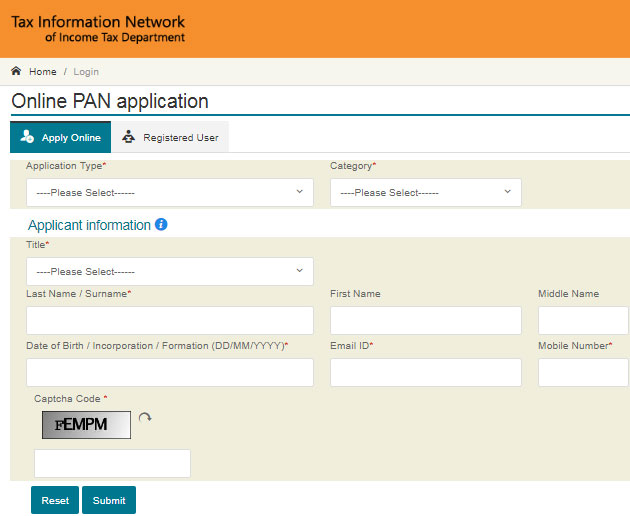
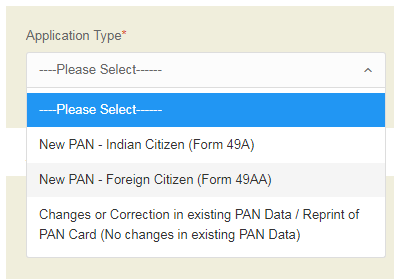
Step 2: Select the Application type – New PAN for Indian citizens, foreign citizens or for change/correction in existing PAN data.
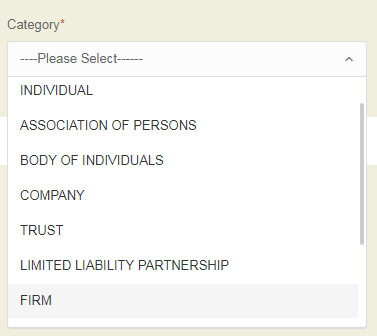
Step 3: Select your category – individual, associations of persons, a body of individuals, etc.
Step 4: Fill in all the required details like name, date of birth, email address and your mobile number in the PAN form.
Step 5: On submitting the form, you will get a message regarding the next step.
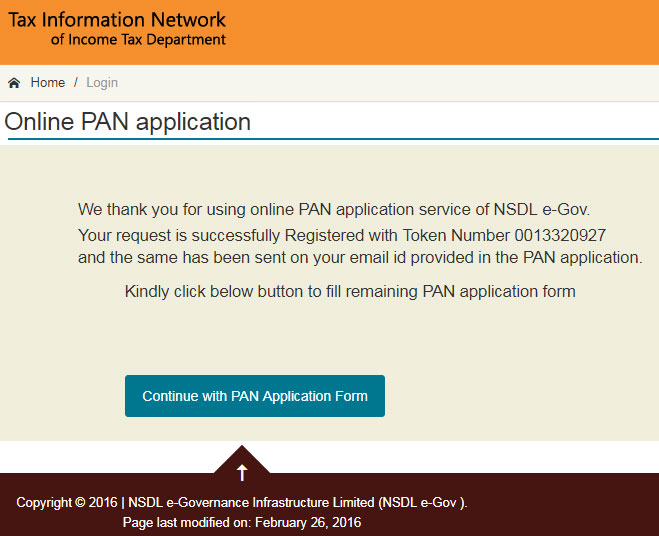
Step 6: Click on the “Continue with the PAN Application Form” button.
Step 7: You will be redirected to the new page where you have to submit your digital e-KYC.
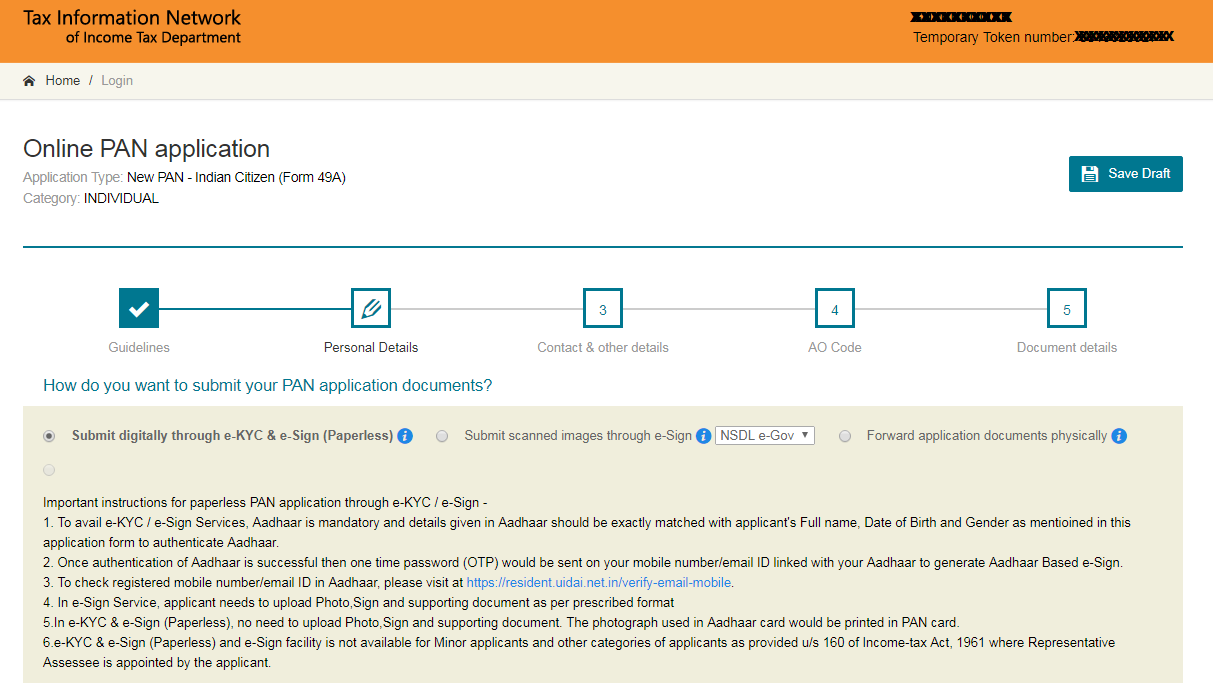
Step 8: Select whether you need physical PAN card or not and provide the last four digits of your Aadhaar number.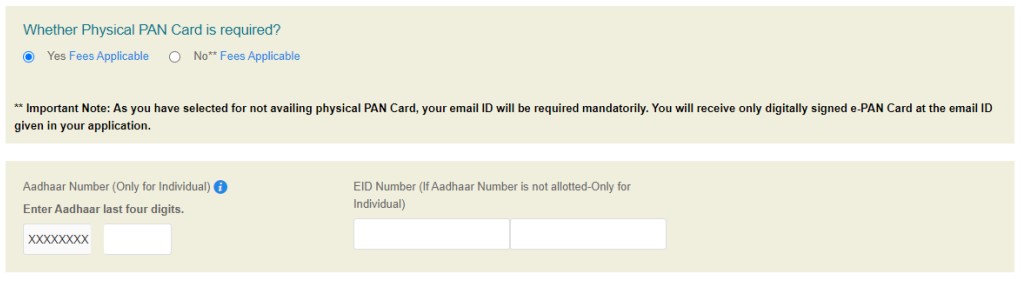
Step 9: Enter your personal details, contact and other details in the next part of the form 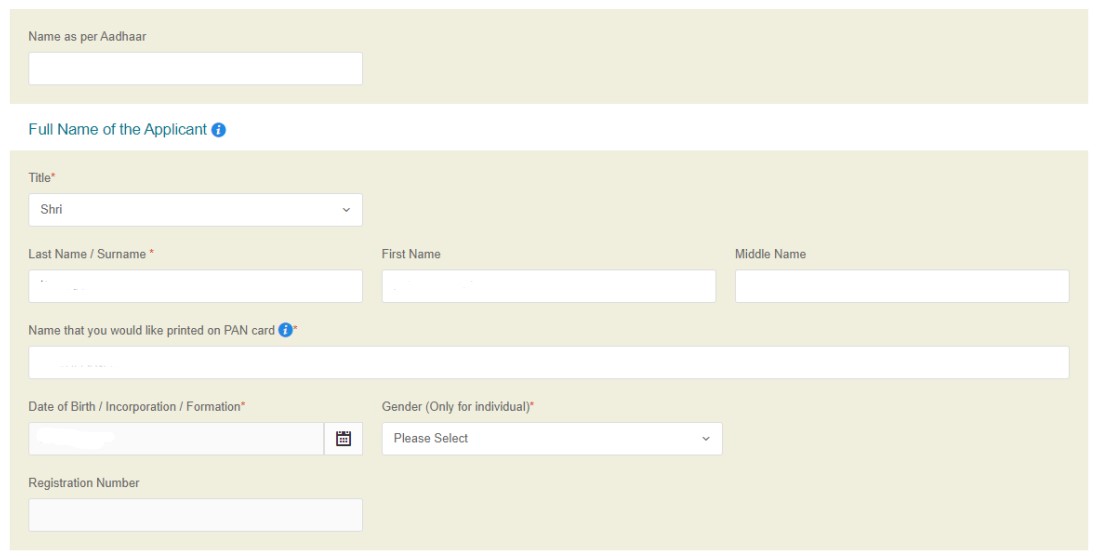
Step 10: Enter your area code, AO Type and other details in this part of the form. You can also find these details in the tab below
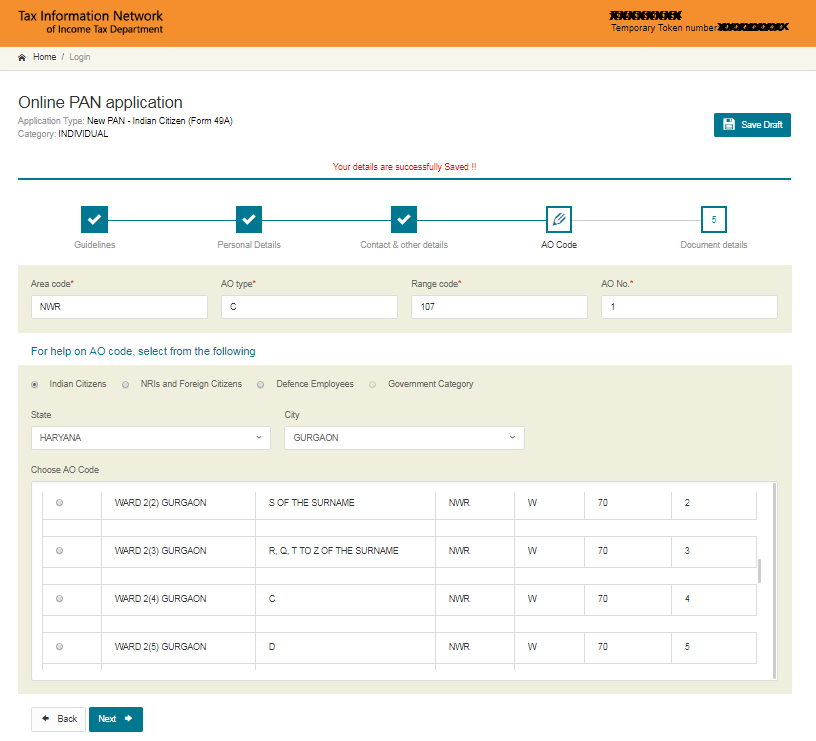
Step 11: The last part of the form is the document submission and declaration.
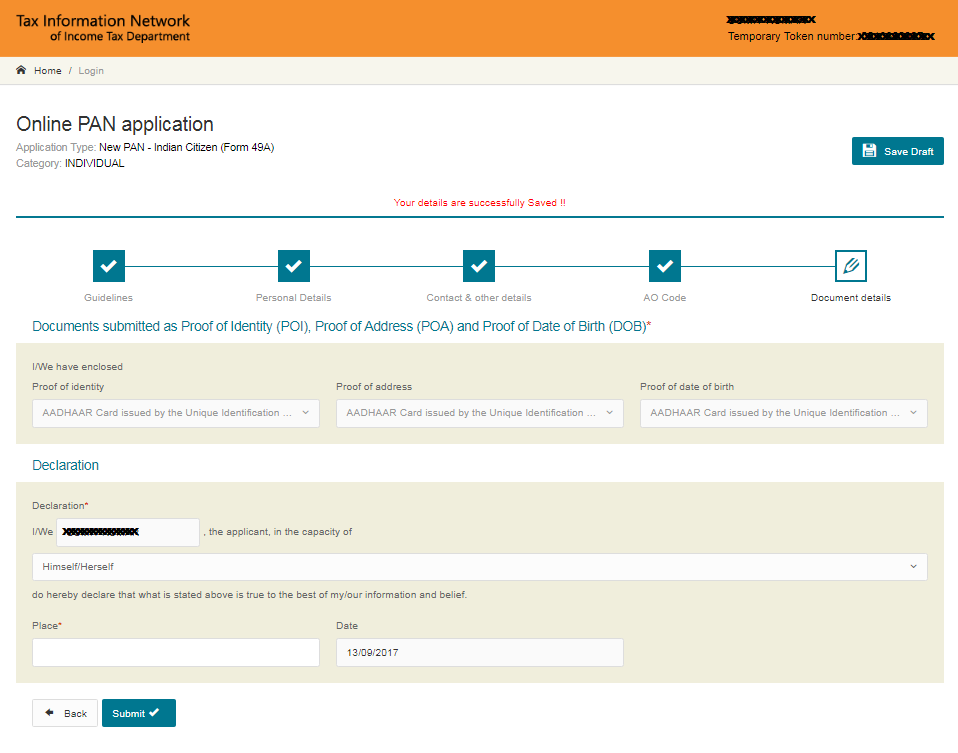
Step 12: Enter the first 8 digits of your PAN card to submit the application. You will get to see your completed form. Click Proceed if no modification is required.
Step 13: Select the e-KYC option to verify using Aadhaar OTP. For Proof of Identity, Address and Date of Birth, select Aadhaar in all fields and click on Proceed to continue.
Step 14: You will be redirected to the payment section where you have to make payment either through demand draft or through net banking/debit/credit card.
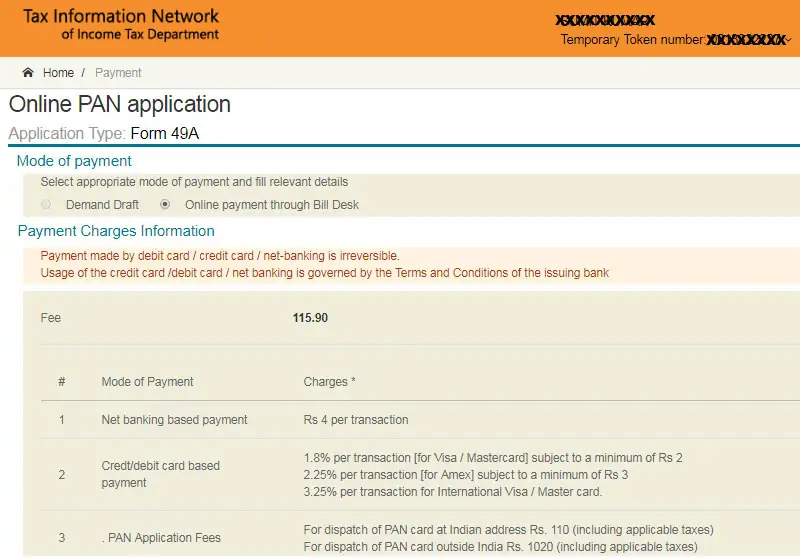
Step 15: A payment receipt will be generated on successful payment. Click on Continue.
Step 16: Now for Aadhaar Authentication, tick the declaration and select “Authenticate” option.
Step 17: Click on “Continue with e-KYC” after which an OTP will be sent to the mobile number linked with Aadhaar.
Step 18: Enter the OTP and submit the form.
Step 19: Now click on “Continue with e-Sign” after which you will have to enter your 12-digit Aadhaar number. An OTP will be sent to the mobile number linked with Aadhaar.
Step 20: Enter OTP and submit the application to get the Acknowledgement slip in pdf having your date of birth as the password in DDMMYYYY format.