Bank of Baroda net banking registration can be done by both online and offline modes😍 :
- Customers can get the BOB net banking registration form (Retail form/Corporate form) from any BOB branch
- Fill in all the details stated in the application form along with the essential signatures and submit the fully filled form at the branch
- User ID and password would be sent via courier and with the availability of these credentials, one can log in to online BOB account
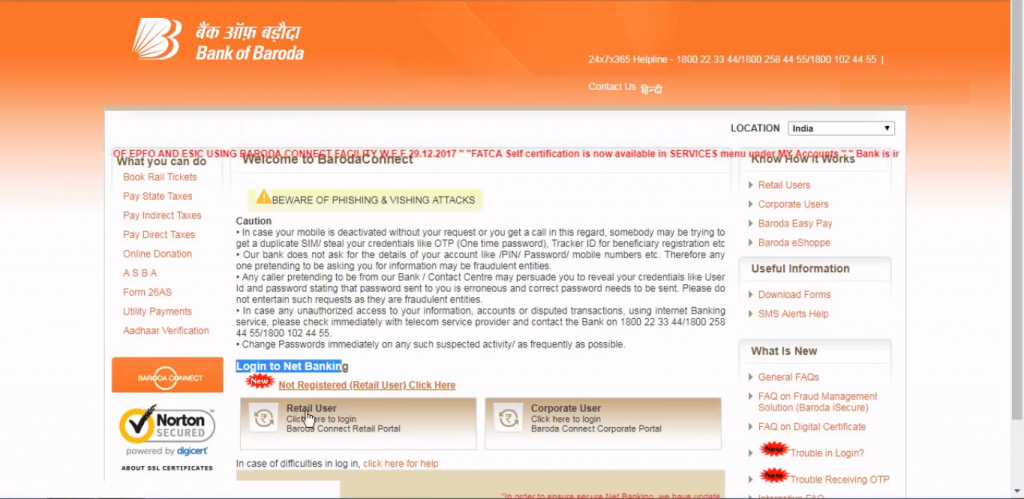
Step 1: Visit the official website of BOB.
Step 2: Click on “Not Registered (Retail User) Click Here” to activate net banking for a savings account.
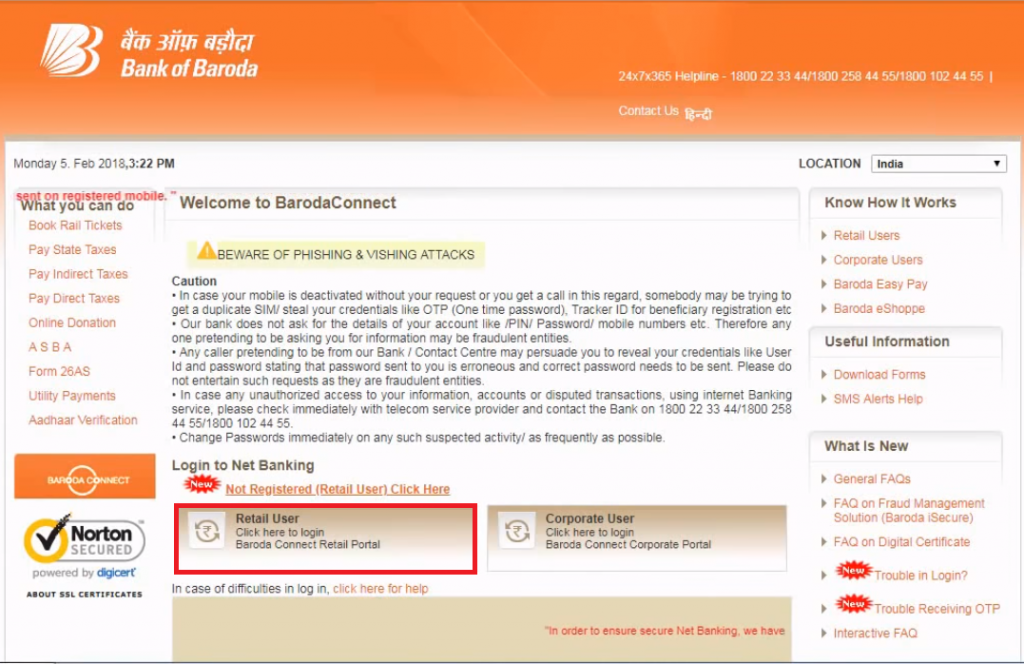
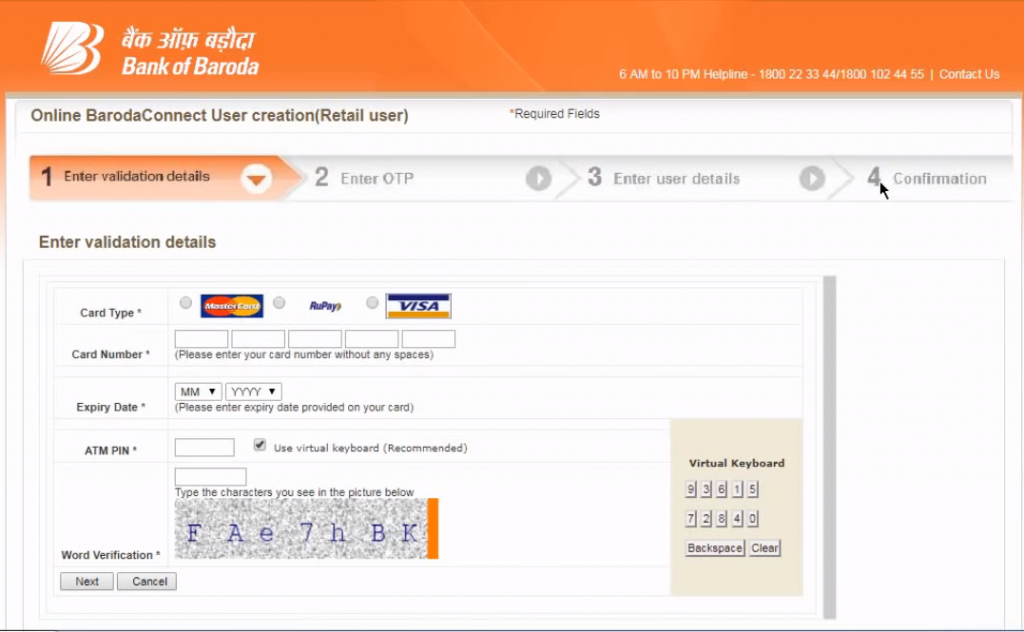
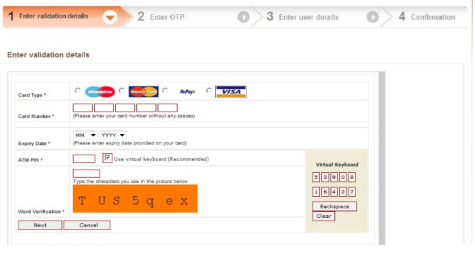
Step 3: Enter the validation details like the card type, card number, expiry date, ATM PIN and click on “Next” afterword verification.
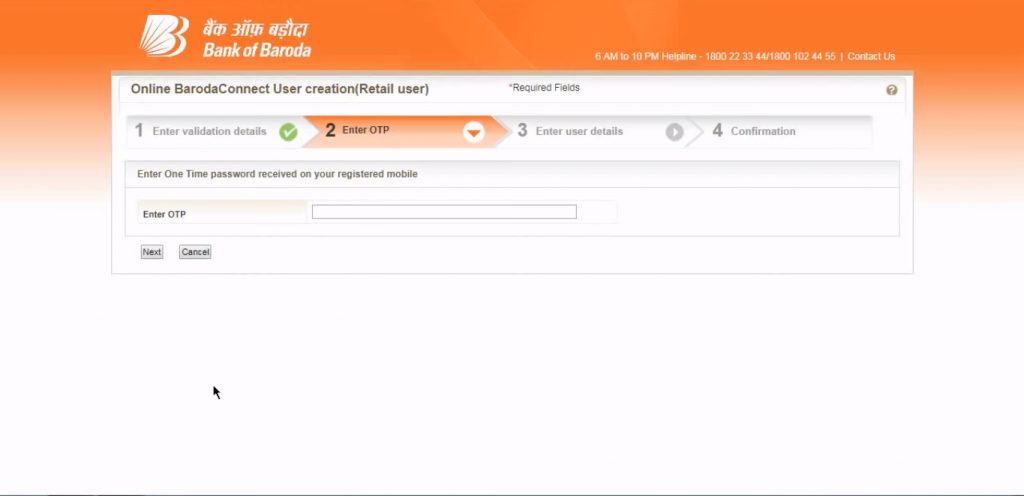
Step 4: Enter the OTP received on the registered mobile number and click on “Next”.
Step 5: Enter all the user details like the name, address and the registered mobile number
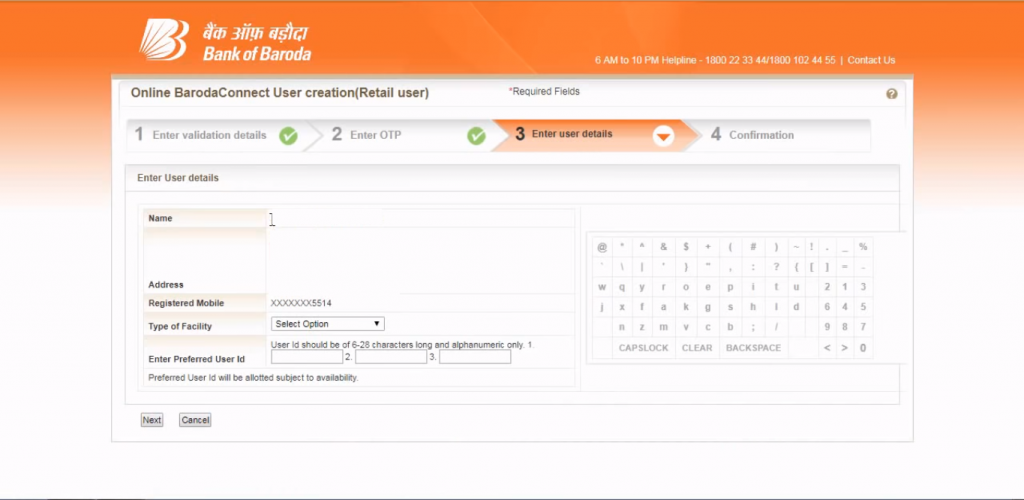
Step 6: Under Type of Facility option customer can choose for “view rights only” if he/she just wants to view the account details and not carry out fund transfer.
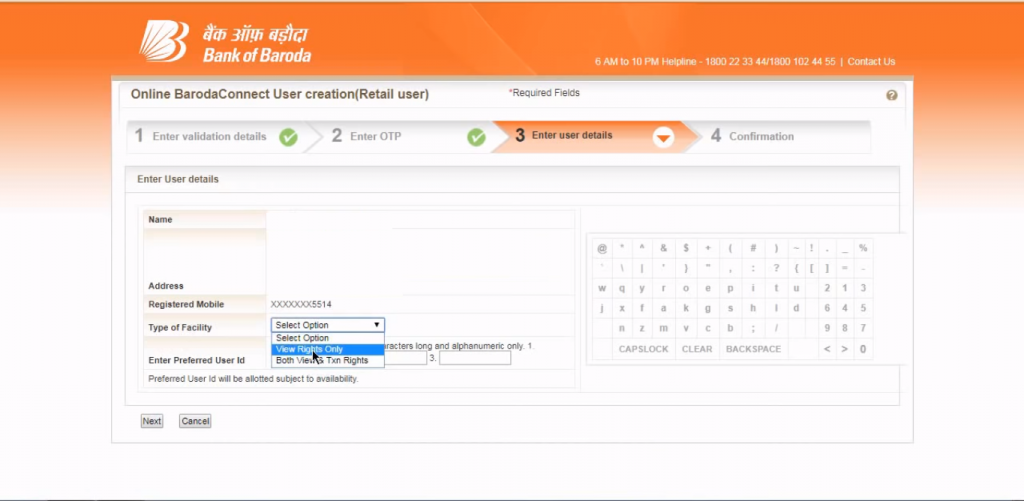
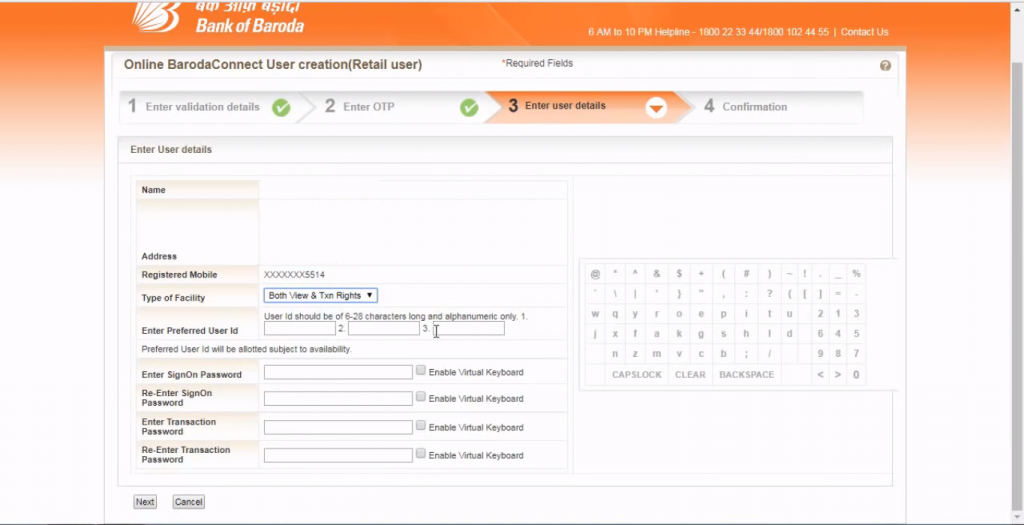
Step 7: Customers can choose for “Both view & Txn Rights” if he/she wants to transfer funds as well as view account details.
Step 8: When a customer opts for “Both view & Txn Rights” he/she needs to set the user ID, Sign-up password and Transaction password and click on “next” to complete the step
Step 9: A confirmation text will appear along with the user ID.
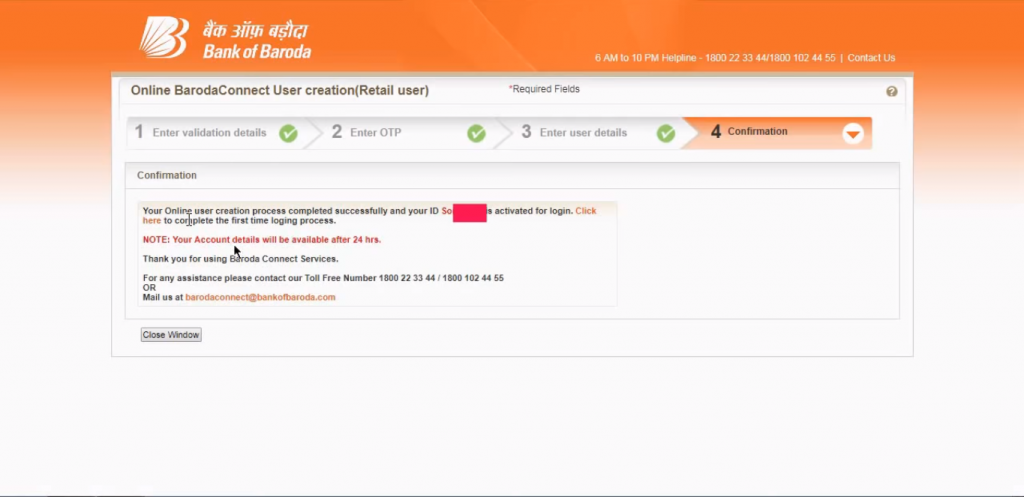
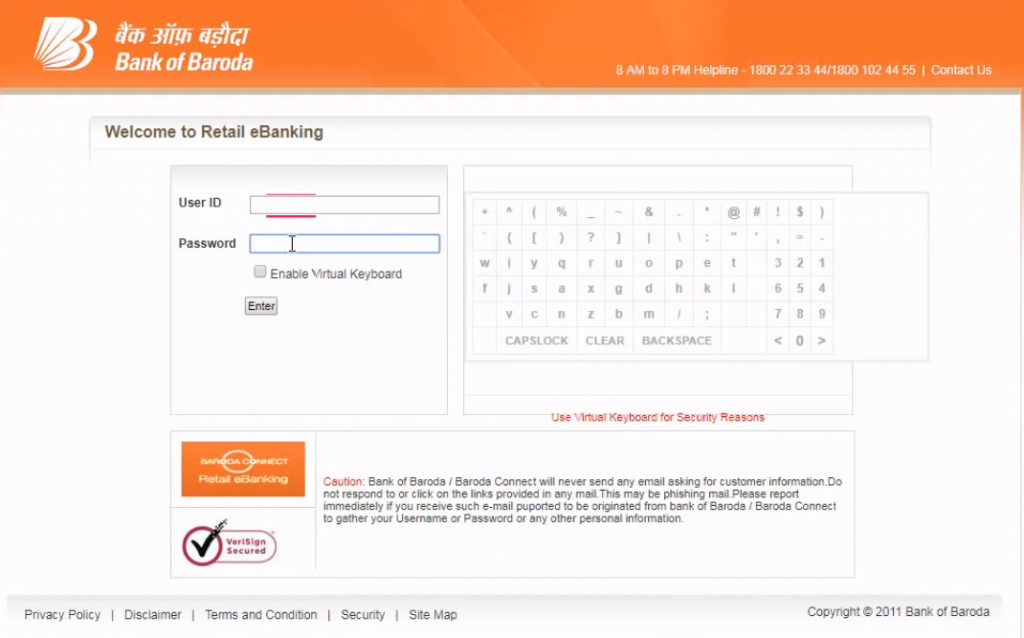
Step 10: Click on the “close window” option and log in again by visiting on BOB official website and clicking on “Retail User” option.
Step 11: Login using the user the password set earlier.
For any further assistance regarding BOB Net banking registration or for any queries contact BOB Customer Care.
HOW TO REGENERATE BOB TRANSACTION PASSWORD?
Customers have to set up two types of passwords for BOB netbanking, one for BOB Netbanking Login called the Sign on Password and another for transacting/completing a transaction for BOB Internet Banking called the Transaction Password.
Customer can regenerate transaction password by submitting the request for generation of new password application directly at the bank branch. Once this form is accepted, a new password would be delivered to the customer’s listed address.
Alternatively, customers can perform the following steps to regenerate transaction password online:

Step 1: Visit the official website of BOB and click on “Retail user” option.
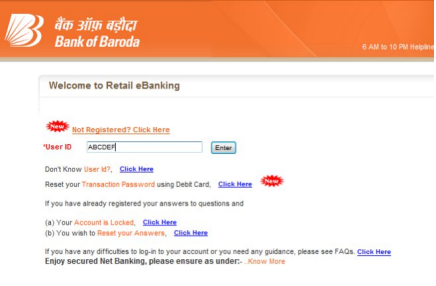
Step 2: Enter the user ID and click on ‘Reset your transaction password using Debit Card, Click Here option.
Step 3: Enter the validation details like the card type, card number, expiry date, ATM PIN and click on “Next” afterword verification.
Step 4: Enter the OTP received on the registered mobile number and click on “Next”.
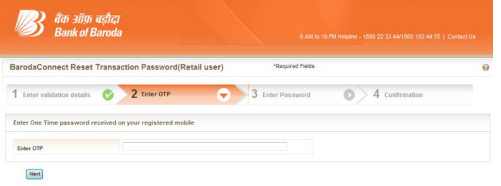
Step 5: After entering the OTP, the customer would be prompted to set the transaction password.
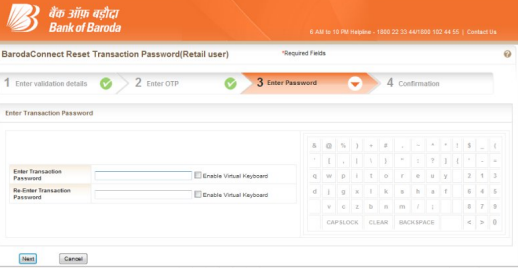
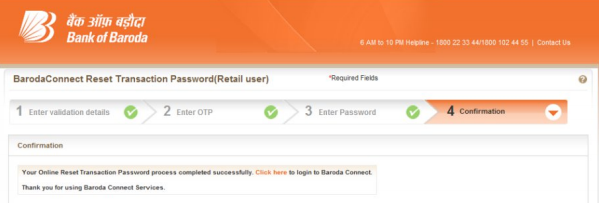
Step 6: On successful completion of the process following message will appear. The customer can login subsequently.